

The Digital Transformation of Senior Living
Let’s be honest: the internet isn’t going anywhere, and it’s shaking things up for senior living communities.
As a result, families and seniors are scrolling, clicking, and swiping their way to important decisions about care and living arrangements.
In fact, your website often serves as the first impression of your community—kind of like a digital front door —so it needs to make people feel right at home!
Embracing this transformation opens up fantastic opportunities to connect with prospective residents and their families.
Furthermore, a thoughtfully designed website can highlight the warmth, care, and unique charm of your community, making it easier for folks to imagine themselves or their loved ones thriving there.
So, why are we here?
Our goal is to guide you through the key considerations involved in redesigning your website. We get it—you wear many hats (sometimes all at once), and adding a website project to your plate might seem overwhelming.
That’s exactly why we’ve put together insights and strategies tailored specifically for senior living operators like you.
In this article, we’ll explore how the structure of your domain can impact your marketing efforts (yes, your URL matters!), demystify the costs associated with a redesign (spoiler alert: it doesn’t have to break the bank), and discuss the ins and outs of using HTML versus page builders—without getting too nerdy. This is a complete handbook to your Senior Living website redesign.
Jump straight to the section of interest…
Table of Contents
- User Experience (UX) Design for the Senior Audience (…plus quick tips on building trust virtually)
- Impact of Your Domain Structure on Your Marketing Strategy (…including cost, messaging, and SEO considerations)
- Senior Living Website Technical Considerations (…the need to know and nice to know details)
- Modern Senior Living Design and Aesthetics That You Must Know (…before you start your website redesign project)
- Senior Living Website Content Strategy Notes (…to tell make your story come to life)
- Senior Living Website Compliance, Integration, & Marketing Tools (…including notes on ADA and GDRP)
- Senior Living Website Redesign Costs Options (including price ranges and what to expect)
- Choosing the Right Development Partner (…what to look for in the right partner)
By the end, you’ll have a clearer picture of how to create a website that not only looks great but also serves as a powerful tool to engage with families and seniors seeking the perfect community.
Let’s team up to enhance your online presence, making it a true reflection of the exceptional care and vibrant environment you provide every day. After all, your community is something special—let’s make sure the internet knows it too!
Before we begin…
Let’s have a refresher on the modern senior living audience. The people actively looking for senior living has changed dramatically in recent years. It is expected to continue to evolve as the millennial generation supports parents and family members in finding the right options for a community lifestyle.
Understanding Your Audience
Demographics of Users
Who is actually visiting your website? Spoiler alert: it’s not just one group!
Seniors vs. Family Members as Primary Users
While you might think it’s mostly family members checking out your site, don’t underestimate today’s seniors—they’re more tech-savvy than ever. Many are browsing websites, sending emails, and yes, even posting on social media. In other words, your audience is a mix of both seniors looking for their next home and family members helping them make that decision.
Their Online Behavior and Preferences
Family members often look for detailed information about care services, costs, and reviews. Meanwhile, they’re the ones clicking through every page, reading the fine print. Seniors might be more interested in community activities, amenities, and how comfortable the living spaces look. They appreciate larger text, straightforward navigation, and real photos that give a genuine feel of the community.
User Experience (UX) Design for Seniors
Now that we know who’s visiting, let’s make sure they have a great experience—because nobody enjoys getting lost on a website!
Importance of Accessibility Features
Accessibility isn’t just a nice-to-have; it’s essential. Features like adjustable text sizes, high-contrast color options, and screen reader compatibility can make your website welcoming to everyone. Think of it as rolling out the red carpet for all your visitors.
Simplified Navigation and Readability
Generally, keep things simple and intuitive. Use clear menus, easy-to-read fonts, and plenty of white space. Avoid cluttered pages that make visitors feel like they’re trying to solve a maze. The goal is to make information easy to find so they can focus on how fantastic your community is.
Building Trust Through Design
First impressions matter—especially online. Your website should feel like a warm handshake, building trust right from the get-go.
Here are a few quick tips:
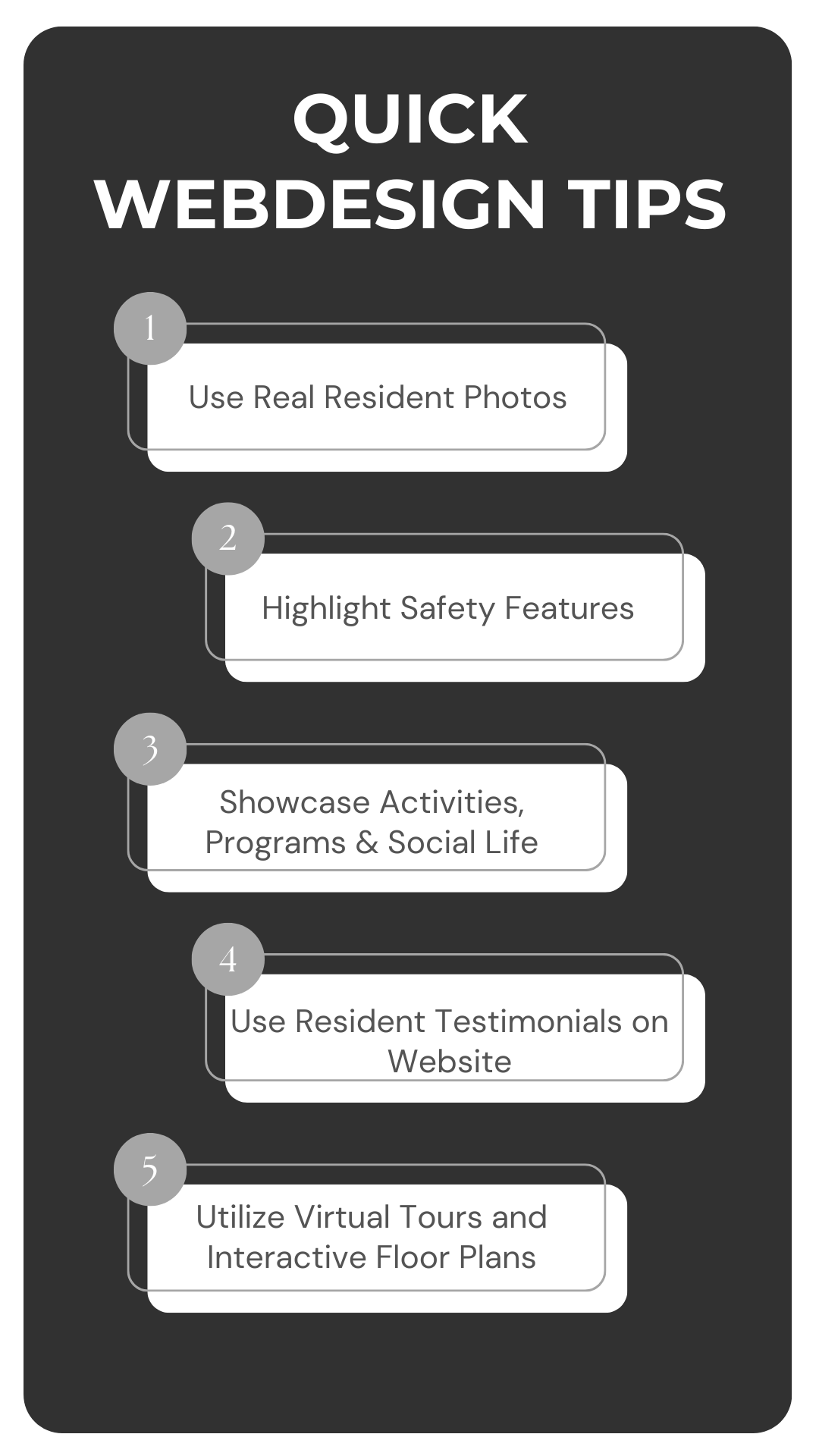
- Use real photos of your residents enjoying daily activities, not just stock images of people smiling at salads.
- Highlight safety features and the quality of care you provide.
- Showcase your activities, programming, and social life at the community.
- Put a spotlight on your dining experience by including real photos of your chef, dining room during dinner hour, and the beautiful cuisine served daily
- Show care to the caregivers and team members who work in the community. Prospective families want to see who will be with their loved ones on a daily basis.
- Testimonials from residents and their families add a personal touch that can reassure visitors they’re making the right choice.
- Virtual tours and interactive floor plan features can help prospective residents get a sneak peek before they enter your doors.
Remember, authenticity goes a long way in building trust.
Modern Senior Living Design and Aesthetics That You Must Know
Modernizing While Respecting Tradition
Let’s venture into the visual realm of your website—the place where first impressions are formed faster than you can say “Welcome!” The trick here is to modernize your site’s design while still honoring the traditions and values that make your community unique.
Balancing Contemporary Design with Familiar Elements
You want your website to feel fresh and up-to-date, but you also want it to resonate with both seniors and their families. It’s all about finding that sweet spot. Incorporate clean lines, intuitive navigation, and modern imagery to give your site a contemporary feel. At the same time, weave in familiar elements like comforting color palettes or nostalgic photos that evoke a sense of warmth and familiarity. Think of it as renovating a beloved old home—you keep the charming features while updating it for today’s needs.
Color Schemes and Typography
Now, let’s talk about colors and fonts—the unsung heroes of user experience. The right choices here can make your website not only attractive but also accessible to everyone who visits.
Choosing Accessible and Appealing Visuals
When selecting color schemes, it’s essential to incorporate your brand colors. These colors are a significant part of your community’s identity and help create a consistent and recognizable look across all your marketing materials. Using your brand colors on your website reinforces your brand image and helps visitors immediately associate the site with your community.
However, while it’s important to showcase your brand colors, you also need to ensure that they contribute to an accessible and pleasant user experience.
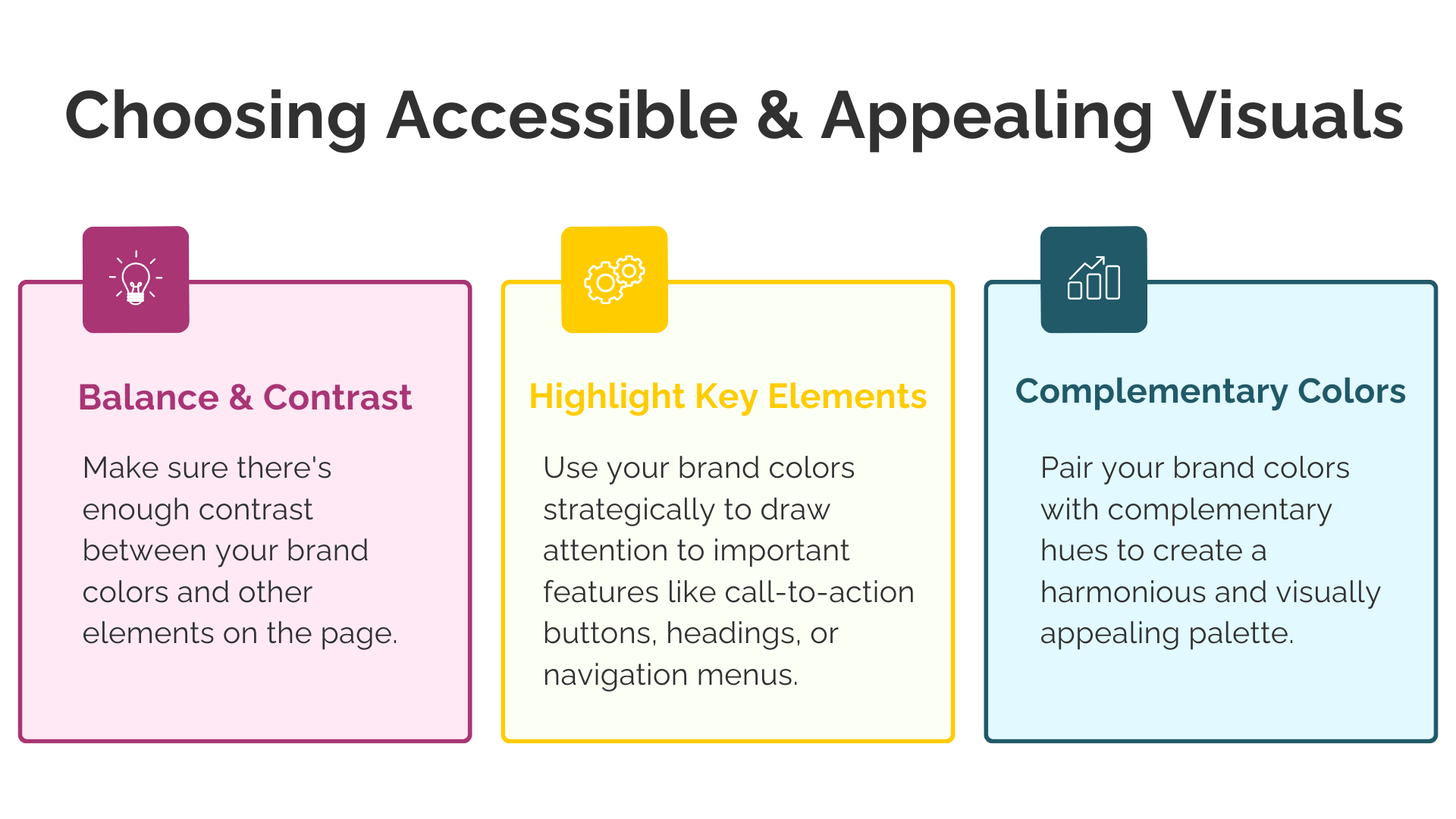
- Balance and Contrast: Make sure there’s enough contrast between your brand colors and other elements on the page. For example, if your brand colors include a lovely shade of pastel yellow, using it for text on a white background might make your visitors squint—or reach for their reading glasses. Instead, use high-contrast combinations to keep text readable.
- Highlight Key Elements: Use your brand colors strategically to draw attention to important features like call-to-action buttons, headings, or navigation menus. This not only reinforces your branding but also guides users smoothly through your site.
- Complementary Colors: Pair your brand colors with complementary hues to create a harmonious and visually appealing palette. This can enhance the overall aesthetic without overshadowing your brand identity.
As for typography, choose fonts that are clean and legible while aligning with your brand’s personality. If your community’s brand is traditional and elegant, a simple serif font might do the trick. If it’s modern and friendly, a clean sans-serif font could be the way to go. Just remember to keep font sizes comfortable—your visitors shouldn’t need a microscope to read your content!
Incorporating your brand colors and typography thoughtfully ensures your website is not only visually appealing but also a true reflection of your community’s identity. It’s like wearing your favorite team colors—you show pride in who you are while connecting with those who share your spirit.
Mobile Responsiveness
In a world where smartphones are practically an extension of our hands, making sure your website looks good on all devices is a must.
Ensuring Usability Across All Devices
Mobile responsiveness isn’t just a tech buzzword—it’s essential for reaching your audience wherever they are. Families researching senior living options might be doing so on their phones during a lunch break or on a tablet while relaxing at home. Your website should automatically adjust to fit any screen size, with images scaling properly and navigation remaining user-friendly.
Test your site on multiple devices to ensure everything works smoothly. Buttons should be easy to tap (no tiny links that require a magnifying glass), and pages should load quickly. After all, you wouldn’t want a potential resident’s family member to get frustrated and click away because your site isn’t mobile-friendly.
By focusing on design and aesthetics that modernize your website while respecting tradition, choosing accessible colors and fonts, and ensuring mobile responsiveness, you’re creating an online presence that’s welcoming to all visitors. It’s like rolling out a virtual welcome mat that says, “Come on in and make yourself at home!”
Domain Structure and Its Impact on Marketing Strategy
Importance of Domain Structure
Alright, let’s tackle the topic of domain structure—a behind-the-scenes hero of your website. Think of your domain name as your online address. Just like you wouldn’t want visitors getting lost on their way to your community, similarly, you don’t want them struggling to find you online.
How Domain Names Affect SEO and Brand Perception
Your domain name isn’t just a URL; moreover it’s a reflection of your brand identity. A clear and memorable domain name can boost your search engine optimization (SEO), making it easier for families and seniors to find you when they’re searching online. Additionally, a professional domain name enhances your brand perception. It’s like wearing a crisp uniform—it shows you’re serious about what you do.
The Role of URLs in User Trust and Click-Through Rates
Ever seen a sketchy-looking URL and thought, “Hmm, maybe not”? You’re not alone. Users are more likely to click on URLs that look trustworthy and relevant. A clean, well-structured URL can increase click-through rates because it gives visitors confidence that they’re heading to a legitimate and valuable site. Ultimately, it’s all about making that good first impression!
Single vs. Multiple Domains
For those with multiple locations, the choice between a single domain and multiple domains can significantly impact your marketing strategy.
Using a Single Domain
Choosing to use a single domain for your senior living community can be a game-changer in more ways than one. Not only does it unify your brand and make management simpler, but it also strengthens your overall online presence. Essentially, it’s like telling visitors, “We’re a cohesive community with multiple branches working together to serve you.”
Unified Branding and Simpler Management
With a single domain, your branding remains consistent across all locations and services. This consistency builds trust and recognition, making it easier for families and seniors to connect with your community. Likewise, managing one website means updates, content creation, and maintenance are streamlined—think of it as having one garden to tend instead of several scattered plots.
Consolidated SEO Efforts
From an SEO standpoint, a single domain is a powerhouse. In other words… all traffic, backlinks, and SEO efforts contribute to one main site, which can significantly boost your search rankings. Instead of splitting your SEO juice across multiple domains, you’re concentrating it all in one place. This means higher visibility in search results, making it easier for prospective residents to find you.
Lower Marketing Costs
Now, let’s talk about the bottom line—marketing costs. Using a single domain can keep your marketing expenses lower.
Here’s how….
- Simplified SEO Strategy: With one domain, you only need to develop and implement a single SEO strategy. This saves time and resources that would otherwise be spent optimizing multiple sites.
- Centralized Content Creation: Creating content for one website reduces the workload on your marketing team. You won’t need separate blog posts, newsletters, or updates for different domains. This efficiency can translate into significant cost savings.
- Unified Advertising Efforts: Your paid advertising campaigns (like Google Ads or social media promotions) can direct traffic to one central site, making your ad spend more effective. You avoid the costs associated with running separate campaigns for multiple domains.
- Easier Analytics and Reporting: Tracking and analyzing website performance is more straightforward with a single domain. This means less time (and money) spent on compiling reports and more time acting on insights to improve your marketing efforts.
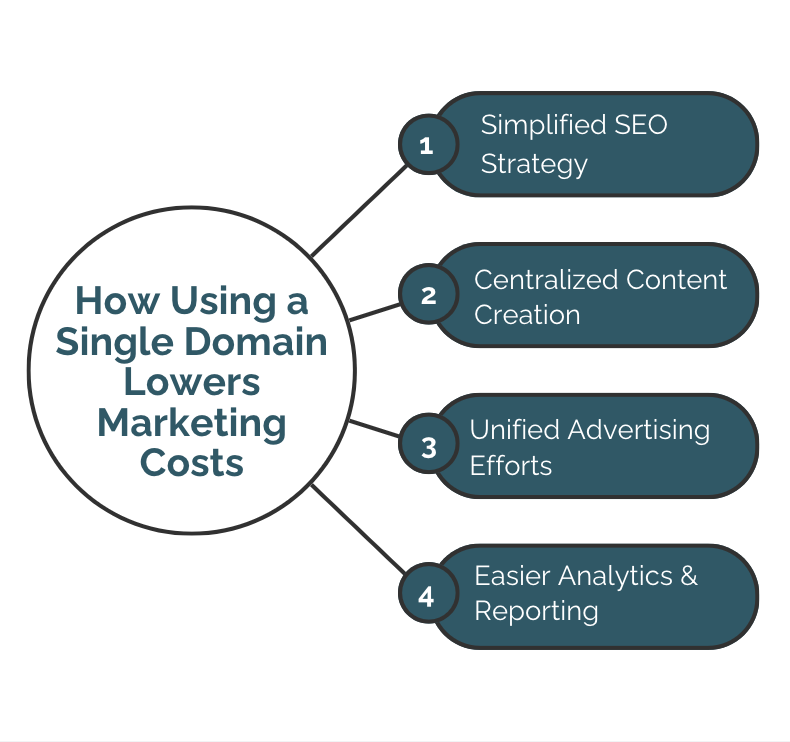
In essence, opting for a single domain is like investing in a well-oiled machine—it runs smoothly, efficiently, and saves you money in the long run. By centralizing your online presence, you’re not only strengthening your brand but also being smart with your marketing budget. That’s a win-win situation if you ask me!
When to Consider Multiple Domains
There are situations where using multiple domains might be appropriate:
- Distinct Brands or Services: If your communities operate under different brand names or offer significantly different services (like assisted living vs. independent living), separate domains can help target specific audiences more effectively. It’s like having different storefronts for different products.
- Regional Marketing Strategies: If each location has its own unique identity or marketing strategy tailored to regional preferences, separate domains allow for more customized content and engagement. For example, if your Florida community focuses on beachfront living while your Colorado location emphasizes mountain views, individual domains let you highlight those unique selling points directly.
However, keep in mind that managing multiple domains can be more complex and may require more resources.
Increased Marketing Costs
Using multiple domains can lead to higher marketing costs. Each domain needs its own SEO strategy, content updates, and maintenance. It’s like juggling multiple balls at once—you’ll need more hands (and budget) to keep everything in the air. So before deciding to go the multiple domains route, consider whether the benefits outweigh the additional expenses.
Subdomains vs. Subdirectories
If multiple domains sound like a bit much, there’s a middle ground: subdomains and subdirectories.
- Subdomains (like “dallas.yourcommunity.com”) can highlight specific locations or services, almost like giving each their own mini-website under your main brand. This can be useful if the content is substantially different across locations.
- Subdirectories (“yourcommunity.com/dallas”) keep everything under one roof, which can be great for SEO since all the traffic benefits the main domain. This approach maintains brand unity while still allowing for location-specific content.
Remember, there’s no one-size-fits-all answer here. The best choice depends on your specific needs, resources, and marketing goals. It’s all about finding the balance that works best for your community without stretching your marketing budget too thin.
Alignment with Marketing Goals
At the end of the day, your domain structure should play nice with your marketing goals. Let’s see how to make that happen.
Enhancing Local SEO
If you’re aiming to attract residents in specific areas, tailoring your domain structure can boost your local SEO. By incorporating location names into your URLs, you help search engines—and potential residents—see that you’re a relevant option in their area. It’s like waving a friendly hello to your neighbors online.
Consistency in Branding and Messaging
Consistency is key in branding. Whether you opt for a single domain, subdomains, or subdirectories, ensure your branding and messaging are uniform across the board. This builds trust and recognition, making it easier for families and seniors to connect with your community. After all, you want them to feel at home before they even set foot on your property!
Senior Living Website Technical Considerations
HTML vs. Straight WordPress vs. Page Builders
Let’s venture into some tech territory—but don’t worry, we’ll keep it as smooth as a well-designed website!
Explanation of All Three Approaches
When it comes to building your website, you have a few paths to choose from. Think of it like choosing between building a custom home, buying a fixer-upper, or moving into a place that’s ready to go and easy to customize.
- HTML (Hand-Coding): This is the “from scratch” method. Developers write code line by line to create your website. It’s highly customizable and offers complete control over every detail. It’s like having an architect design a unique home just for you.
- Straight WordPress: WordPress is a popular content management system (CMS) that powers a large portion of the internet. Using straight WordPress means building your site using its core features and themes without additional page builder plugins. It’s akin to buying a house that might need some remodeling to suit your taste—you have a solid structure but making changes requires some handiwork.
- Page Builders: These are tools or plugins (like Elementor, Divi, or Beaver Builder) that provide drag-and-drop interfaces on platforms like WordPress. They allow you to build and customize your website without needing to write code. It’s like moving into a fully furnished home where everything is set up just the way you like it, and rearranging the furniture is a breeze.
Why It Fits Into Your Goals
Customization vs. Ease of Use
- HTML (Hand-Coding): While offering maximum customization, hand-coded websites can be complex and time-consuming to build. They often require a developer for even small updates, which can add to ongoing costs and delays. Unless you need highly specialized features, this might be more than you need—like installing a custom elevator when stairs would suffice.
- Straight WordPress: Provides a solid foundation but may require more technical know-how to customize and update. Making changes can be less intuitive, and you’re somewhat limited to the capabilities of your chosen theme. It’s like needing a toolbox handy for every little fix or adjustment.
- Page Builders: This is where page builders shine. They offer an intuitive, user-friendly interface that allows you or your team to make changes easily without needing to dive into code. Want to update a photo gallery or tweak some text? No problem! It’s as simple as drag-and-drop. This ease of use empowers you to keep your website fresh and up-to-date without relying on a developer for every change.
Additional Reasons Why Page Builders May Be the Better Option
- Speed of Development: Page builders can significantly reduce the time it takes to build or redesign a website. With pre-built templates and modules, you can have a professional-looking site up and running in less time than traditional methods.
- Cost-Effective: Faster development and the ability to make updates yourself can lead to cost savings. You won’t need to allocate as much budget for developer hours, both during the build and for future updates.
- Flexibility and Features: Page builders often come with a wide array of features and widgets that can enhance your website’s functionality—think contact forms, image sliders, or event calendars—all without needing custom code.
- Responsive Design Made Easy: Most page builders automatically ensure your website looks great on all devices, saving you the hassle of manually adjusting for mobile responsiveness.
- Empowerment to Keep Content Current: With the ability to easily update content, you can promptly share news, events, or changes in services. This keeps your audience informed and engaged, which is crucial in building trust and community.
Why You Shouldn’t Care
Focus on Functionality and User Experience Over Technology
At the end of the day, what’s most important is how your website serves your visitors and meets your goals.
- User Experience is King: Families and seniors care about finding information easily and enjoying a seamless browsing experience. Whether your site is hand-coded, built with straight WordPress, or using a page builder, the key is that it functions well and meets their needs.
- Empowerment to Make Changes: With page builders, you have the power to update your website in-house. This means you can keep your content current—announcing events, updating services, or sharing news—without delays. It’s like having the keys to your own car rather than needing a chauffeur.
- Don’t Sweat the Tech Stuff: Unless you’re a tech enthusiast, the specifics of how your website is built might not be your cup of tea. What’s important is that it works for you and your audience. Trusting in a page builder solution allows you to focus on what you do best—providing exceptional care and services—while your website smoothly supports those efforts.
- Trust the Experts: Work with a web developer or agency that understands your goals and can recommend the best tools for your situation. They can set up your site with a page builder and provide training so you feel confident managing it moving forward.

So don’t get bogged down in the technical details of how your site is built. Focus on creating a website that reflects your community’s values and serves your visitors effectively. After all, it’s the experience that counts!
Senior Living Website Content Strategy Notes
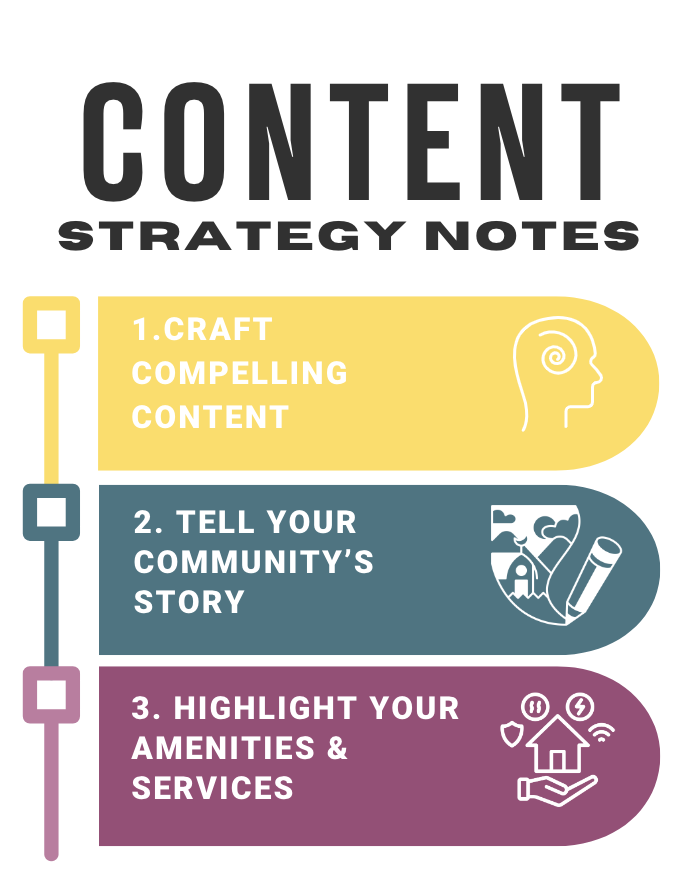
Crafting Compelling Content
Let’s dive into the heart of your website: the content. It’s not just about filling pages; it’s about telling your story and connecting with your audience in a meaningful way.
Telling Your Community’s Story
Every senior living community has its own unique story, and yours is no exception. Maybe it’s the laughter that fills the dining hall during mealtimes, the beautiful garden that residents help cultivate, or the dedicated staff who go the extra mile every day. Share these stories! Let visitors feel the warmth and vibrancy of your community through authentic narratives and real-life anecdotes. After all, people connect with people, not just places.
Highlighting Amenities and Services
Don’t be shy—this is the time to showcase what makes your community special. Do you offer gourmet dining experiences, state-of-the-art fitness centers, or engaging art classes? Highlight these amenities and services prominently. Use vivid descriptions and real photos to give visitors a taste of what life could be like with you. Remember, you’re not just listing features; you’re painting a picture of a potential new home.
-
- Multimedia Integration
They say a picture is worth a thousand words, so imagine the value of a virtual tour or a heartfelt video testimonial!
-
- Virtual Tours and Galleries
Offer virtual tours and photo galleries that allow visitors to explore your community from the comfort of their own homes (slippers optional). Interactive elements like 360-degree views or walk-through videos can make them feel as if they’re strolling through your hallways, experiencing the ambiance firsthand. It’s the next best thing to being there in person.
-
- Video Testimonials from Residents and Families
There’s nothing more convincing than hearing from those who know you best. Video testimonials from residents and their families add a personal touch that builds trust. These candid accounts can highlight the quality of care, the sense of community, and the positive impact you’ve had on their lives. Plus, let’s be honest—who doesn’t love a good success story?
SEO-Friendly Content
Great content deserves to be seen, and that’s where SEO (Search Engine Optimization) comes into play. Don’t worry; it’s not as scary as it sounds!
Keyword Optimization
Think about what families and seniors might type into a search engine when looking for a community like yours. Phrases like “best senior living community near me” or “assisted living with memory care services” are good examples. Incorporate these keywords naturally into your content—emphasis on “naturally.” We’re aiming for engaging prose, not a game of keyword bingo.
Regularly Updated Blogs and Articles
Keeping your website fresh with regularly updated blogs and articles does wonders for SEO and gives visitors a reason to come back. Share helpful tips on senior wellness, updates on community events, or spotlight stories of your amazing staff and residents (with their permission, of course). Not only does this position your community as a valuable resource, but it also shows that you’re active and engaged—a living, breathing community.
By focusing on a strong content strategy that tells your story, leverages multimedia, and stays SEO-friendly, you’re setting the stage for a website that doesn’t just inform but also inspires. After all, your community is more than just a place to live; it’s a place to thrive. Let’s make sure your website reflects that!
Senior Living Website Compliance, Integration, & Marketing Tools
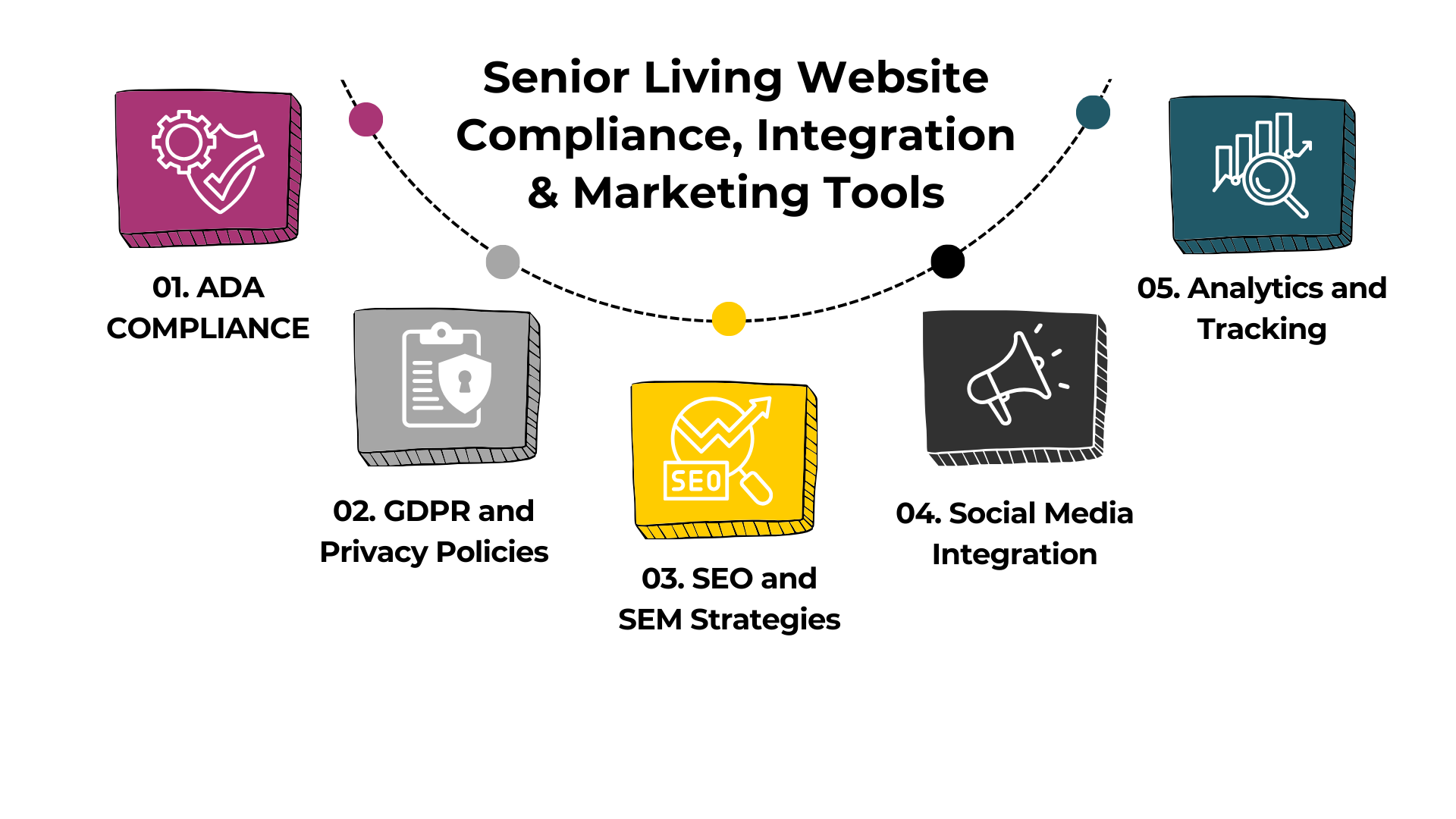
1. ADA Compliance
Creating an accessible website isn’t just about following laws—it’s about welcoming everyone to your online community.
Ensuring the Website Is Accessible to Users with Disabilities
Implementing accessibility features ensures that all users, including those with disabilities, can navigate and understand your website. This includes providing alt text for images, using proper heading structures, ensuring sufficient color contrast, and making your site navigable via keyboard.
Legal Implications and Best Practices
Compliance with the Americans with Disabilities Act (ADA) is not only ethical but also reduces the risk of legal issues. Websites that aren’t accessible can face lawsuits. Following Web Content Accessibility Guidelines (WCAG) is considered best practice to meet ADA requirements.
2. GDPR and Privacy Policies
In an era where data privacy is paramount, being transparent and responsible with user data is crucial.
Managing User Data Responsibly
If your website collects personal information—like names, emails, or phone numbers—you need to handle that data carefully. Implementing security measures to protect this information is essential.
Transparency in Data Usage
Having a clear and accessible privacy policy informs visitors about how their data is collected, used, and protected. If you serve residents from the European Union, compliance with the General Data Protection Regulation (GDPR) is necessary, which includes obtaining explicit consent for data collection.
3. SEO and SEM Strategies
Let’s talk about getting your beautifully redesigned website in front of the right eyes. After all, what’s the point of having a fantastic site if no one sees it?
Enhancing Visibility on Search Engines
Search Engine Optimization (SEO) is all about making your website more visible to people searching online for services like yours. By optimizing your site’s content and structure with relevant keywords (like “senior living community near me”), you increase the chances of appearing higher in search engine results. This means more organic traffic—and more potential residents discovering your community.
Paid Advertising Considerations
Search Engine Marketing (SEM), on the other hand, involves paid strategies like Google Ads to boost your visibility. By bidding on keywords, your website can appear at the top of search results as sponsored listings. This can be especially effective for competitive keywords where organic ranking is challenging. Combining SEO and SEM can create a powerful one-two punch to drive traffic to your site.
4. Social Media Integration
In today’s digital age, social media isn’t just for sharing cute cat videos (though we love those too!). It’s a vital channel for connecting with your audience.
Linking with Platforms Like Facebook and Instagram
Integrate your website with your social media profiles to create a seamless experience. This means adding social media icons that link to your profiles, embedding live feeds, or even allowing visitors to share content directly from your site. Platforms like Facebook and Instagram are popular among families and can be great places to showcase community events, resident stories, and updates.
Encouraging Social Sharing
Make it easy for visitors to share your content with social sharing buttons on blog posts, photos, and event announcements. This not only increases your reach but also turns your audience into advocates for your community. After all, a recommendation from a friend or family member can be incredibly powerful.
5. Analytics and Tracking
You can’t improve what you don’t measure. That’s where analytics come into play.
Using Data to Inform Decisions
Tools like Google Analytics provide valuable insights into how visitors interact with your website. You’ll be able to see which pages are most popular, how long visitors stay, and where they’re coming from. This data helps you understand what’s working and where there’s room for improvement.
Setting Up Goals and Conversions
By setting up goals (like form submissions or clicks on a phone number), you can track conversions that matter to your business. This allows you to measure the effectiveness of your website and marketing efforts in real terms—like how many people are reaching out to schedule a tour.
Budgeting for a Senior Living Website Redesign
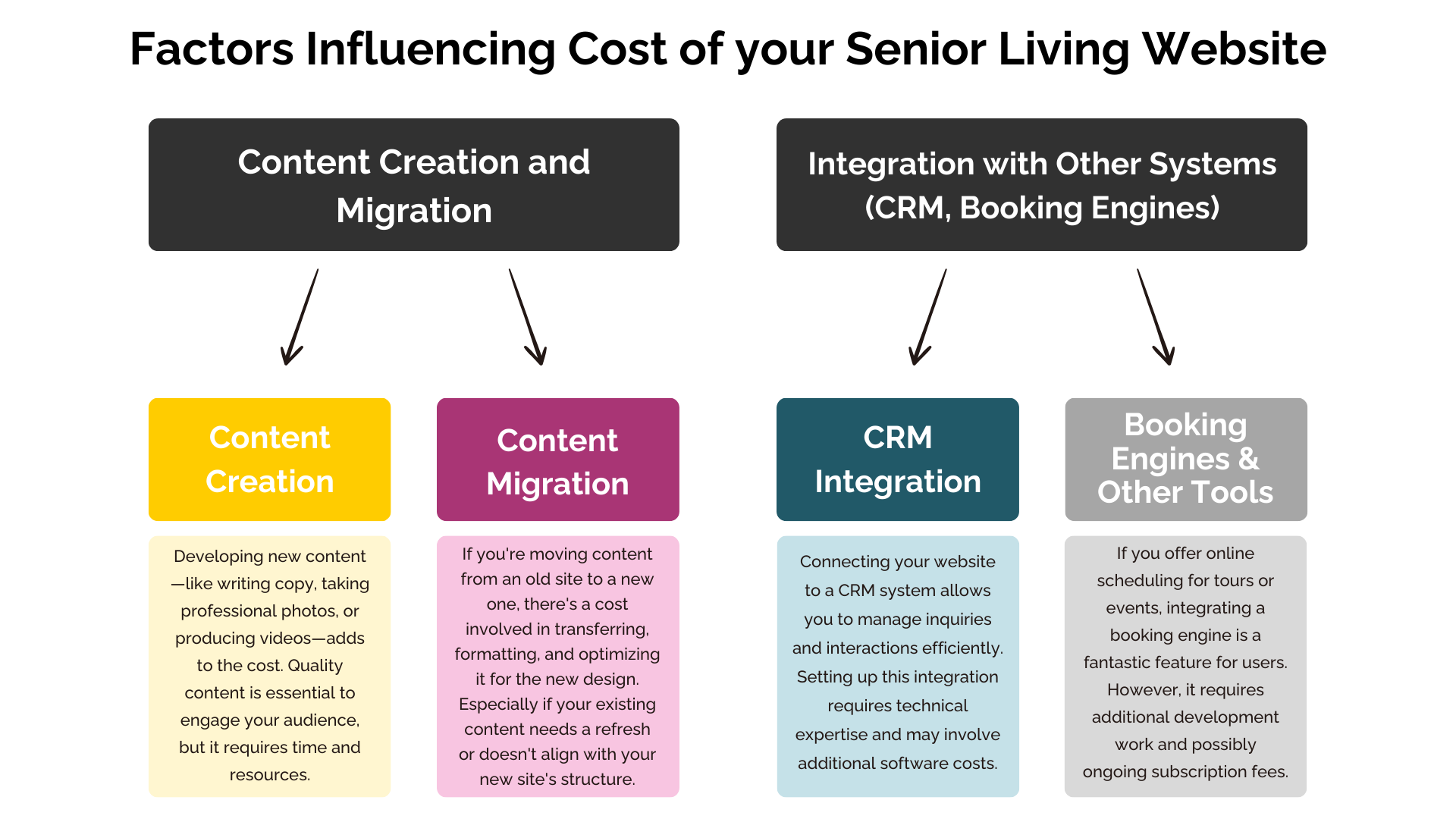
Factors Influencing Cost of your Senior Living Website
Let’s talk about the elephant in the room: the cost of a website redesign. Understanding what influences these costs can help you plan and budget effectively—no surprises here!
Custom Design and Development
One of the biggest factors affecting cost is opting for a custom design and development. This is like commissioning a tailor-made suit. A custom-designed website is built from the ground up to meet your specific needs and reflect your unique brand. It offers maximum flexibility and uniqueness but comes with a higher price tag due to the time and expertise required.
Content Creation and Migration
Content is king, but creating and migrating it can be a royal undertaking!
-
- Content Creation: Developing new content—like writing copy, taking professional photos, or producing videos—adds to the cost. Quality content is essential to engage your audience, but it requires time and resources.
- Content Migration: If you’re moving content from an old site to a new one, there’s a cost involved in transferring, formatting, and optimizing it for the new design. Especially if your existing content needs a refresh or doesn’t align with your new site’s structure.
Integration with Other Systems (CRM, Booking Engines)
Your website doesn’t operate in a vacuum; integrating it with other systems can enhance functionality but also add to the cost.
-
- CRM Integration: Connecting your website to a Customer Relationship Management (CRM) system allows you to manage inquiries and interactions efficiently. Setting up this integration requires technical expertise and may involve additional software costs.
- Booking Engines and Other Tools: If you offer online scheduling for tours or events, integrating a booking engine is a fantastic feature for users. However, it requires additional development work and possibly ongoing subscription fees.
Additional Considerations for Senior Living Communities
As a senior living operator, there are specific factors to consider that can influence the cost:
-
- Accessibility Compliance: Ensuring your website is accessible to all users, including those with disabilities, is not just good practice—it’s essential. Implementing ADA compliance features like screen reader compatibility, keyboard navigation, and appropriate color contrasts can add to development time but are crucial for serving your audience effectively.
- Virtual Tours and Multimedia: Offering virtual tours and high-quality multimedia content allows prospective residents and their families to experience your community remotely. Creating these interactive elements requires additional investment but can significantly enhance engagement.
- Local SEO Optimization: Optimizing your website for local search is vital, as families typically look for senior living communities within a specific geographic area. Implementing local SEO strategies involves content creation, keyword optimization, and potentially additional tools or services.
Typical Cost Ranges for a Website Redesign Project
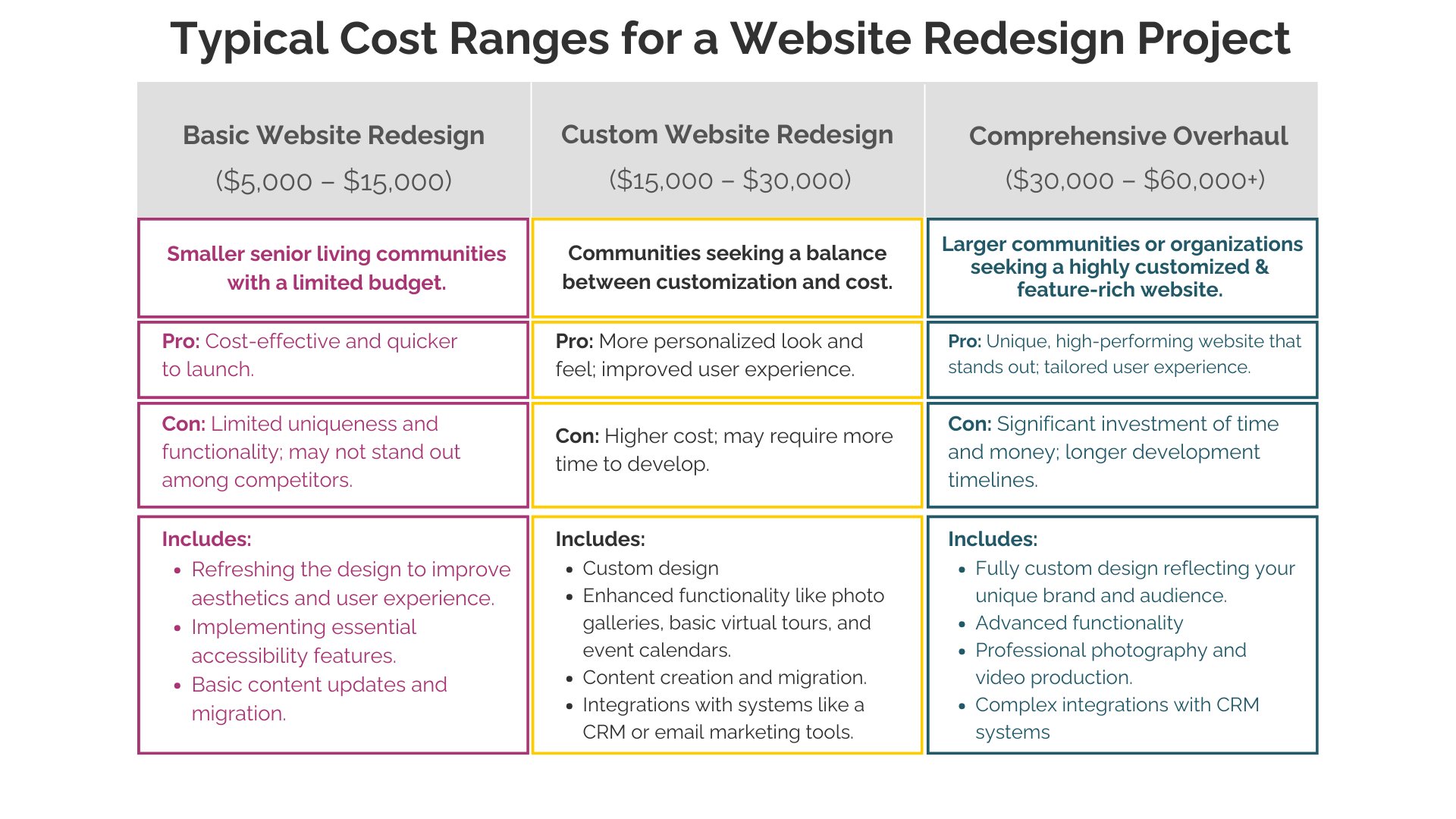
To give you a ballpark idea, here’s what you might expect:
- Basic Website Redesign ($5,000 – $15,000)
-
- Who It’s For: Smaller senior living communities with a limited budget.
- What’s Included:
- Refreshing the design to improve aesthetics and user experience.
- Implementing essential accessibility features.
- Basic content updates and migration.
- Pros: Cost-effective and quicker to launch.
- Cons: Limited uniqueness and functionality; may not stand out among competitors.
-
- Custom Website Redesign ($15,000 – $30,000)
-
- Who It’s For: Communities seeking a balance between customization and cost.
- What’s Included:
- Custom design tailored to your branding.
- Enhanced functionality like photo galleries, basic virtual tours, and event calendars.
- Content creation and migration.
- Integrations with systems like a CRM or email marketing tools.
- Pros: More personalized look and feel; improved user experience.
- Cons: Higher cost; may require more time to develop.
-
- Comprehensive Overhaul ($30,000 – $60,000+)
-
- Who It’s For: Larger communities or organizations seeking a highly customized and feature-rich website.
- What’s Included:
- Fully custom design reflecting your unique brand and audience.
- Advanced functionality such as interactive virtual tours, online booking systems, and advanced forms.
- Extensive content creation, including professional photography and video production.
- Complex integrations with CRM systems, booking engines, or other third-party platforms.
- SEO optimization and possibly ongoing digital marketing services.
- Pros: Unique, high-performing website that stands out; tailored user experience.
- Cons: Significant investment of time and money; longer development timelines.
-
Budgeting for a Redesign
Now that we’ve explored what influences the cost, let’s talk about how to budget effectively—because nobody likes sticker shock!
Setting Realistic Expectations
First things first: establish a realistic budget based on your goals and the value the redesign will bring.
-
- Do Your Research: Understand the market rates for the services you need. Prices can vary widely depending on the complexity of the project and the expertise of the professionals involved.
- Get Multiple Quotes: Don’t hesitate to reach out to several agencies or freelancers to compare offerings. This will give you a sense of what’s reasonable and help you find the best fit.
Prioritizing Features and Phases
You might have a wish list longer than a holiday shopping spree, but it’s important to prioritize.
-
- Must-Haves vs. Nice-to-Haves: Identify the essential features that your website needs to function effectively. These are your must-haves. Then list the nice-to-haves that can be added later if the budget allows.
- Phased Approach: Consider rolling out your redesign in phases. Start with the core functionalities and add more features over time. This approach can make the project more manageable both financially and logistically.
Evaluating ROI
At the end of the day, a website redesign is an investment. Let’s look at how you can evaluate the return on that investment (ROI).
Increased Inquiries and Occupancy Rates
A well-designed website isn’t just a pretty face; it can have a real impact on your bottom line.
-
- Boosting Inquiries: An engaging and user-friendly website can lead to more inquiries from potential residents and their families. Features like easy-to-find contact information, inquiry forms, and virtual tours can encourage visitors to take the next step.
- Improving Occupancy Rates: More inquiries can translate into higher occupancy rates. By effectively showcasing your community’s offerings and making it easy for prospects to connect with you, your website becomes a powerful tool in filling vacancies.
Long-Term Savings Through Better Technology
Investing in modern technology now can save you money down the road.
-
- Ease of Updates: With the right platform (like those handy page builders we talked about), updating your website becomes a breeze. This reduces the need for ongoing developer costs and allows you to keep your content fresh.
- Scalability: A well-built website can grow with your community. Need to add a new location or service? No problem! Investing in a scalable solution now avoids costly overhauls later.
- Efficiency Gains: Integrations with systems like your CRM can streamline operations, saving staff time and improving responsiveness to inquiries.
Choosing the Right Development Partner

In-House vs. Agency
Deciding who will build your website is a big decision. Let’s weigh the options.
Pros and Cons of Each Option
In-House Development:
-
-
- Pros: Greater control over the project, immediate communication, and potentially lower costs if you have existing staff with the necessary skills.
- Cons: Requires internal expertise, can divert staff from other important tasks, and may lack the breadth of experience an agency offers.
-
Hiring an Agency:
-
-
- Pros: Access to a team of experts with diverse skills, experience with similar projects, and often a faster turnaround due to dedicated resources.
- Cons: Higher upfront costs, potential for less direct control, and the need to carefully select a partner who understands your industry.
-
Evaluating Portfolios and Experience
Choosing the right partner is like finding the right puzzle piece—it needs to fit just right.
Importance of Industry-Specific Expertise
Look for developers or agencies with experience in the senior living industry. They’ll understand your audience’s unique needs and have insights into best practices. Reviewing portfolios and case studies can give you a sense of their style and capabilities.
Communication and Support
Building a website is a collaborative effort.
Ongoing Maintenance and Updates
Websites aren’t set-it-and-forget-it projects. Regular updates, security patches, and content additions are essential. Ensure your development partner offers ongoing support or provides training for your team to handle maintenance.
Training Staff on New Systems
If your new website includes tools like content management systems or CRM integrations, your staff will need to know how to use them. A good development partner will offer training sessions to get your team up to speed.
Conclusion
We’ve covered a lot of ground! From understanding your audience and crafting compelling content to navigating technical considerations and budgeting for your redesign, each step is crucial in creating a website that truly reflects your community.
In conclusion, investing in a website redesign is more than just a facelift—it’s an investment in your community’s future. A well-designed website can attract new residents, engage families, and showcase the exceptional care you provide. Don’t let an outdated website hold you back from connecting with those who need your services most.
Want to Talk to Smart Girl about Your Next Website Redesign Project?